Behind the Build: How We Make an STR Overview Video From a Single Listing URL
Creating professional marketing videos for vacation rentals traditionally requires time, equipment, and editing expertise. STR Skills simplifies that process by transforming a single listing URL into a polished overview video, allowing operators to showcase their properties with far less effort. Here's an inside look at how the entire workflow turns existing listing information into a ready-to-publish property video.
Why Property Videos Matter
Guests increasingly expect more than photos when comparing vacation rentals.
A well-produced overview video helps potential guests better understand the property, visualize the experience, and feel more confident before booking.
Unfortunately, producing those videos often requires:
- Planning and filming
- Video editing software
- Voiceover recording
- Motion graphics
- Significant time and technical expertise
STR Skills was built to reduce those barriers by starting with something every operator already has—a published listing.
Every Overview Video Starts With One Listing URL
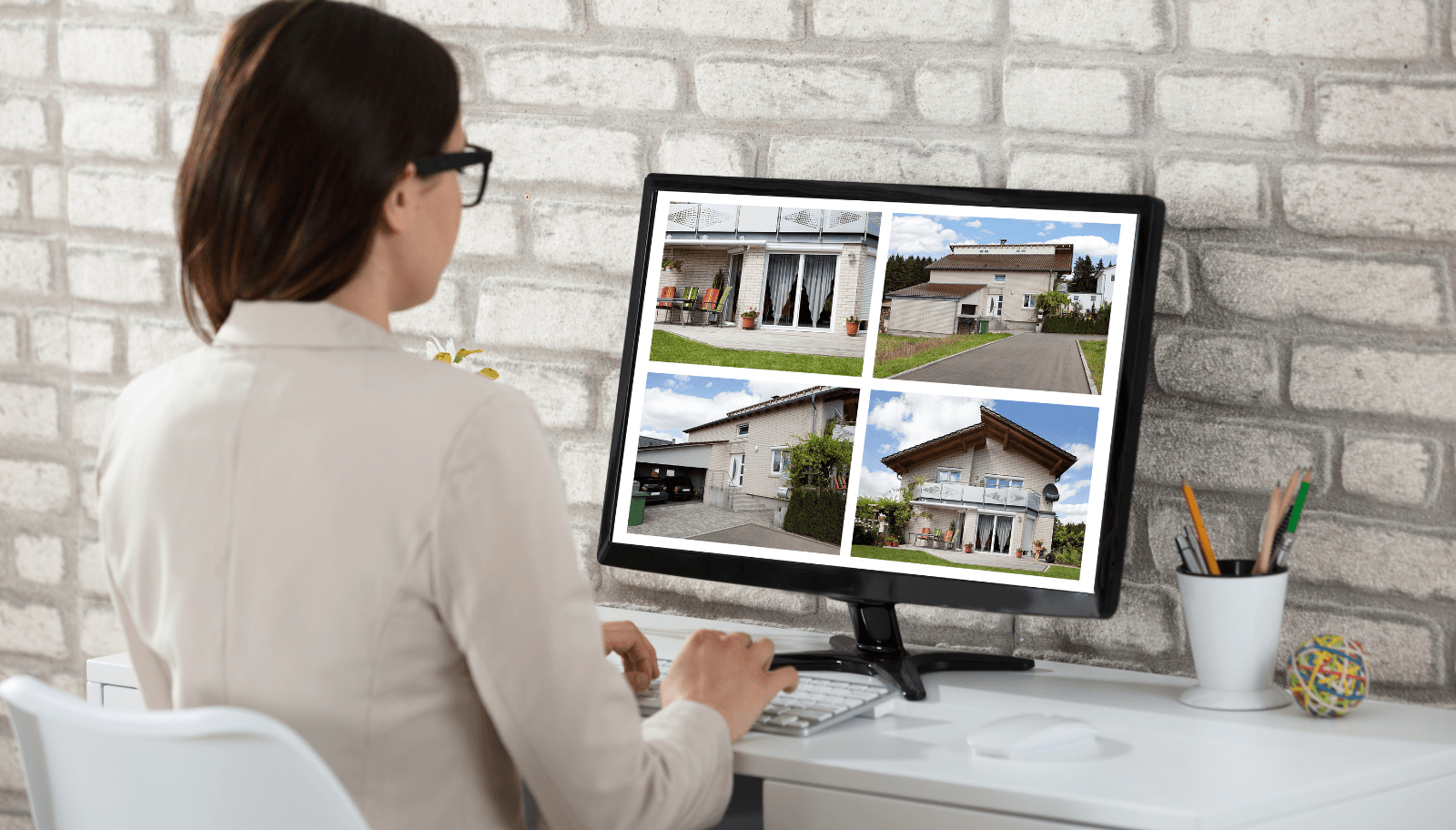
The workflow begins when an operator pastes a vacation rental listing URL into STR Skills.
From that listing, the platform organizes the property's existing information into structured content that can be used throughout the video creation process.
This may include:
- Property name and details
- Listing description
- Property image gallery
- Amenities
- Location highlights
- Additional listing information
Rather than requiring operators to recreate information, the listing itself becomes the foundation for the video.
How STR Skills Builds an Overview Video
The video creation process follows a structured workflow designed to organize listing content into a professional presentation.
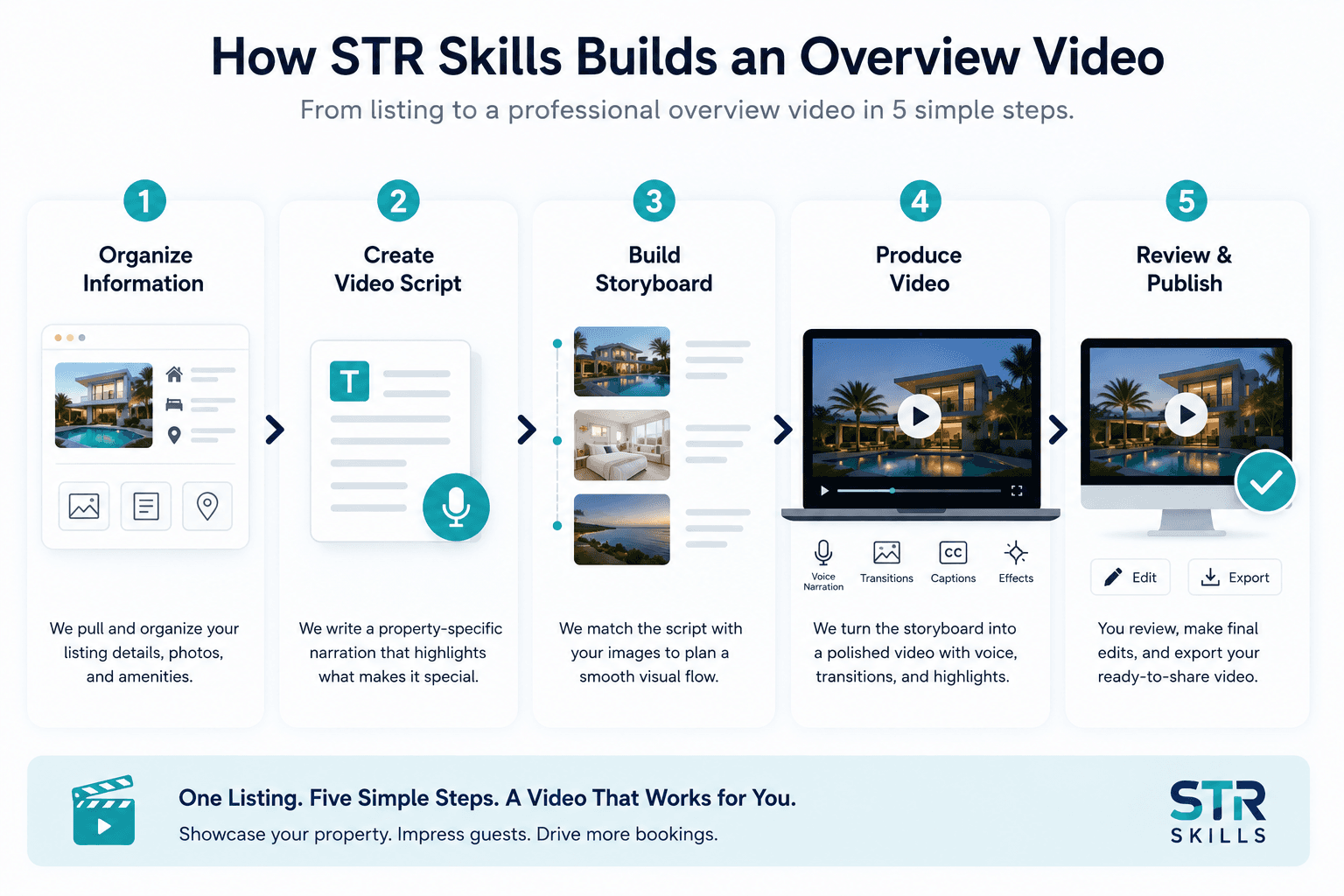
Step 1: Organize Listing Information
The first stage prepares the listing information for video creation.
This includes organizing property information, reviewing available media, and preparing the content for the next stages of production.
The result is a clean, structured representation of the property.
Step 2: Create the Video Script
Once the listing information has been prepared, STR Skills generates a property-specific narration.
Rather than using a generic script, the narration focuses on the unique characteristics of the individual property.
The script highlights information such as:
- • Property features
- • Guest accommodations
- • Standout amenities
- • Location highlights
- • Overall guest experience
Step 3: Build the Storyboard
The generated script is then organized alongside the available property images.
This storyboard creates a logical sequence that aligns visuals with the narration, helping produce a smoother viewing experience.
If additional media would improve the presentation, operators can review and update their listing before publishing.
Step 4: Produce the Video
The storyboard is transformed into a finished overview video.
Depending on the available assets, the production may include:
- • Voice narration
- • Scene transitions
- • Motion effects
- • Captions
- • On-screen property highlights
Step 5: Review Before Publishing
Before exporting, operators can review the completed video.
During this stage they can:
- • Preview the full presentation
- • Edit narration
- • Rearrange images
- • Make final adjustments
- • Export the finished video
Built Around Real Property Information
Every overview video is based on the information already available within the listing.
This helps ensure the presentation reflects the property's published details rather than relying on generic promotional content.
The goal is simple:
- Present accurate property information
- Highlight existing amenities
- Showcase authentic images
- Maintain consistency with the original listing
A trustworthy overview video helps establish guest confidence while accurately representing the property.
Why This Workflow Benefits Vacation Rental Operators

Traditional video production can take days or even weeks.
By beginning with a listing URL, STR Skills streamlines much of that process into a guided workflow.
Benefits include:
- Faster video creation
- Less manual editing
- Reuse of existing listing content
- Consistent property presentations
- Reduced production effort
Instead of starting from an empty timeline, operators begin with information they've already created.
Create Your First Property Overview Video
If you already have a published vacation rental listing, you already have the foundation for a professional overview video.
Simply start with your listing URL, review the generated content, make any desired adjustments, and publish a polished presentation that helps showcase your property.
Whether you manage a single vacation rental or multiple listings, this workflow makes creating marketing videos significantly faster and more approachable.
Frequently Asked Questions
What is an STR listing URL to video workflow?
It is a process that transforms information from a vacation rental listing into a structured property overview video.
What information is used to create the video?
The workflow uses information available within the listing, such as property details, descriptions, images, amenities, and location information.
Can I edit the generated video?
Yes. Operators can review the video, adjust narration, update images, and make final edits before exporting.
Who is this workflow designed for?
It is designed for short-term rental hosts, vacation rental managers, and property management professionals who want to create property overview videos more efficiently.
Why use a listing URL instead of creating a video manually?
Starting with a listing URL helps reuse existing property information, reducing the amount of manual work required to produce a professional marketing video.
Turn Your Listing Into a Property Overview Video
Start with a single listing URL and let STR Skills build a polished marketing video that showcases your vacation rental.
Related Articles
How AI Is Transforming Vacation Rental Guest Communication in 2026
Discover how AI-powered messaging helps vacation rental managers improve guest satisfaction, reduce workload, and scale communication.

AI Guest Messaging ROI: What the Data Shows
Hotels and vacation rental operators that deploy AI-powered guest messaging typically see a 35–60% reduction in front desk call volume.

How AI Technology is Transforming Vacation Rental Management
Learn how AI assistants streamline operations, enhance guest experiences, and boost revenue for property managers.